
Cypress has now launched their new experimental AI feature which lets you write your tests by prompts in plain English.
Example AI Prompt Test
cy.prompt([
  "visit /",
  'hit the "x" button',
  'confirm that the [data-cy="result"] element has the text "Success"',
]);
There are two options when using cy.prompt().
The first is “Generate once, commit to source control” to use the AI to generate your test steps for you or “Continuous AI-powered testing” where no code is generated, after the tests have run once the selectors are cached and only updated when needed.
Following their impressive demo on this I wanted to try it myself in a couple of real world scenarios to see how it handles common issues we get in normal day-to-day automation testing.
In the examples below I'm writing the tests in my IDE and running them in Cypress open mode where the AI converts the prompts into standard Cypress commands.
Test 1: Multiple Elements Found
On the /about page of this site there are 2 URLs to my LinkedIn profile. The first is in the masthead nav and the second is in the page content.
So let's see what selector the AI chooses if we prompt "verify the LinkedIn link is visible" on that page.
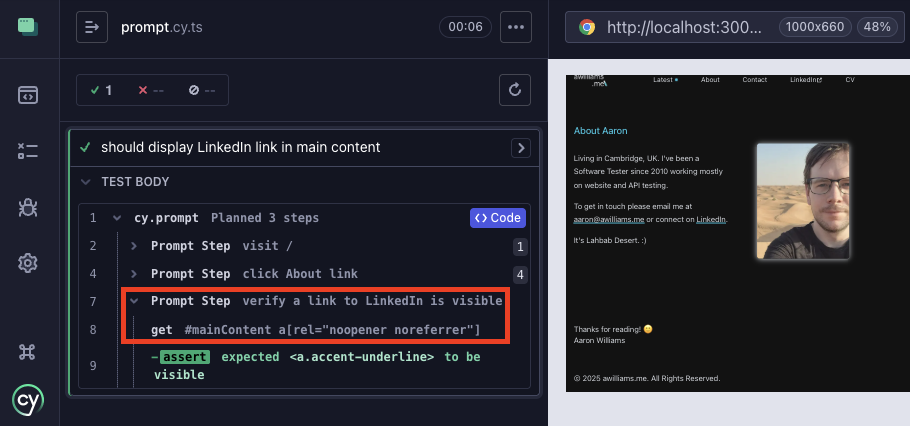
Prompt:"verify the LinkedIn link is visible"
AI Generated Selector:#mainContent a[rel="noopener noreferrer"]
This is close, but no one would choose that selector in practice. The use of querying by the rel HTML attribute is brittle and will match any external link on the page.
I would need a selector to be generated which is more akin to #mainContent a[href*="linkedin.com"]
It appears the DOM has been checked and it's associated that rel HTML attribute with the LinkedIn element and decided that's the best selector. Using the mainContent ID is promising though, it appears to have decided the navigation element is out of scope in this test.
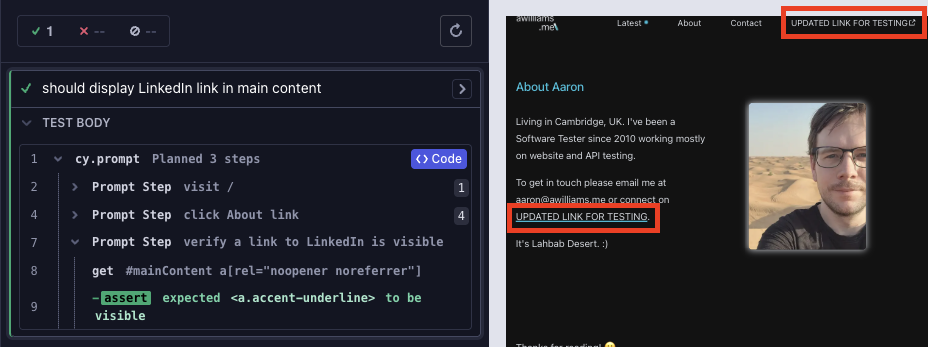
I updated this page to now contain no “linkedIn links” but keep the rel attribute and now the test falsely continues passing. 😬
But let's not give up here. I'll try be more explicit in what I need to check.
Prompt:”verify a link containing text LinkedIn is visible in #mainContent”
AI Generated Selector:#mainContent a:contains('LinkedIn')
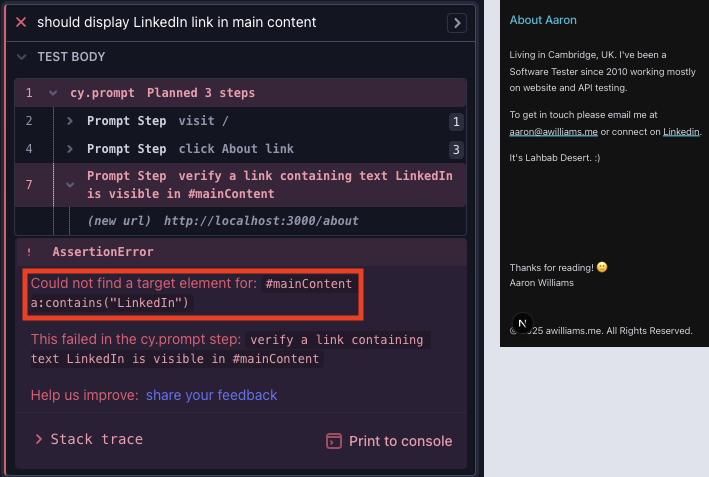
This has generated an invalid selector.
Let's give it exactly what it needs…
Prompt:
'verify [href="https://www.linkedin.com/in/awilliams-me/"] is visible in #mainContent'AI Generated Selector:
#mainContent [href="https://www.linkedin.com/in/awilliams-me/"]This works!
But now if I remove "in #mainContent" the test fails with:
Could not find a target element for:
[href="https://www.linkedin.com/in/awilliams-me/"]`

This failed in the cy.prompt step:
verify [href="https://www.linkedin.com/in/awilliams-me/"] is visible
We know there are two of them!
Test 2: Back to Top Button
To be fair there is no mention in the Cypress docs if prompting to scroll is or is not supported.
My use case is scrolling down near the footer to activate the back to top button, clicking it, then asserting the viewport position.
In Cypress we normally would do this with a command like cy.get('footer').scrollIntoView().
Using prompt "scroll down to the footer" resulted in an error shown on Cypress UI.
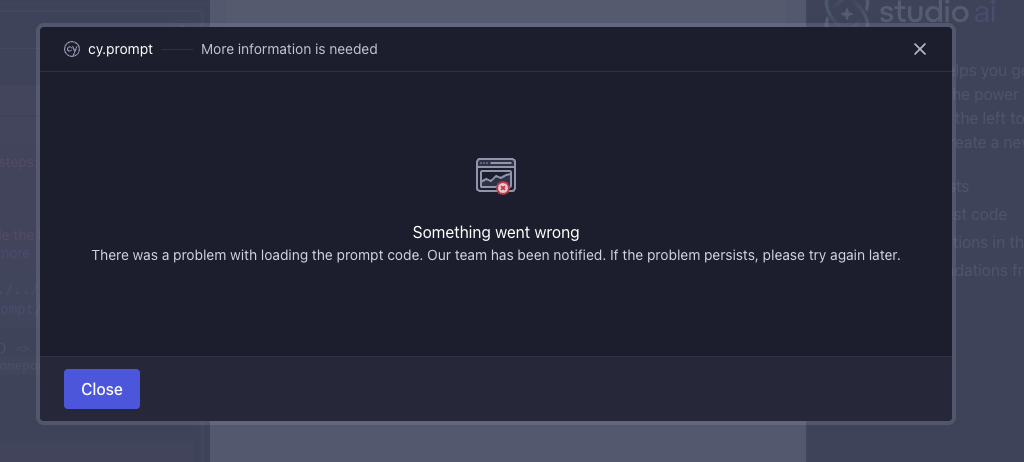
Something went wrong
There was a problem with loading the prompt code. Our team has been notified. If the problem persists, please try again later.
Okay, it didn't work. To. keep exploring let's try a workaround to enter the actionability checks by prompting with "click on the footer", if this works Cypress will scroll to the footer for us. 😅
cy.prompt([
  "visit /",
  "click on the first h2 link",
  "click on the footer",
  "click the BACK TO TOP button",
  "verify page has been scrolled to the top",
]);
It worked! But the final assertion failed on expected <body> to have value '0', but the value was '', which suggests a mismatch in the assertion.
Verdict
It's in experimental phase with very limited prompting available.
Even sticking to the prompts listed on their docs I still found some tests to start failing for no apparent reason even when the selector was correct.
With the selectors I've seen the AI generate I would for now only use the "generate once" option. Though that would mean writing the prompts then checking the code it generates... and almost certainly rewriting.